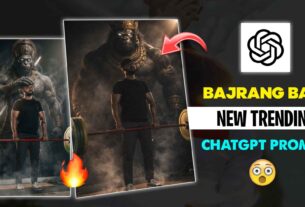
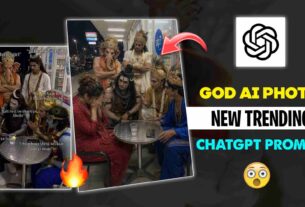
Blur photo to hd quality Prompt – Hello Guy’s I Hope you all doing great today, in this article I’m going to give ai prompts to enchance the quality of your photo which will look very amazing, you can create this images with the help of Ai.
It is very simple to create this type of images with using Google Gemini.
What is Google gemini?
Google Gemini is an Ai Chatbot developed by Google. It can understand and generate human like text and it can can also generate Ai images.
3. Now copy & paste the prompts given below in the blank area.
Here Are the Prompts to Create this Ai Images
Prompt :-
Enhance the portrait while strictly preserving the subject’s identity with accurate facial geometry. Do not change their expression or face shape. Only allow subtle feature cleanup without altering who they are. Keep the exact same background from the reference image. No replacements, no changes, no new objects, no layout shifts. The environment must look identical. The image must be recreated as if it was shot on a Sony A1, using an 85mm f1.4 lens, at f1.6, ISO 100, 1/200 shutter speed, cinematic shallow depth of field, perfect facial focus, and an editorial-neutral color profile. This Sony A1+ 85mm f1.4 setup is mandatory. The final image must clearly look like premium full-frame Sony A1 quality. Lighting must match the exact direction, angle, and mood of the reference photo. Upgrade the lighting into a cinematic, subject-focused style: soft directional light, warm highlights, cool shadows, deeper contrast, expanded dynamic range, micro-contrast boost, smooth gradations, and zero harsh shadows. Maintain neutral premium color tone, cinematic contrast curve, natural saturation, real skin texture (not plastic), and subtle film grain. No fake glow, no runway lighting, no oversmoothing. Render in 4K resolution, 10-bit color, cinematic editorial style, premium clarity, portrait crop, and keep the original environmental vibe untouched. Re-render the subject with improved realism, depth, texture, and lighting while keeping identity and background fully preserved.
NEGATIVE INSTRUCTIONS:
No new background.
No background change.
No overly dramatic lighting.
No face morphing.
No fake glow.
No flat lighting.
No over-smooth skin.
no change pose same to same as it is.

More Info :-
Not only for You But you Can Create this type of photo for anyone you want to. make make sure that you should do a little changes the prompt according to the photo you want.
About Me ?
I’m cs editz and my real name is chandan kumar sahoo, I’m a social media Influencer and a full time youtuber with more than 480k+ Subscribers. I make content about photo editing, reels video editing and also about capcut templates which i share on my Instagram.
If you’re still facing any problem then you can comment below we will try our best to solve your problem.